RockIn Rock&Meteorite Identify
- 4.4
- Rating
- 100.00K
- Installs
- Free
- Price

 Analysis by App-foxy
I like mineral apps that make a walk, a market visit, or a shelf of old specimens feel more interesting. RockIn Rock&Meteorite Identify takes that idea in a focused direction: it is a lifestyle app from PlantIn for identifying, collecting, organizing, exploring, and trading within a personal mineral world. I found it most appealing when I treated it as a companion for curiosity rather than as a replacement for a museum label or a professional geological reference.
The app is free to install and is rated for Everyone, which makes it approachable for families, casual collectors, students, and anyone who keeps finding attractive stones without knowing what they are. Its current version is 1.14.0, and it runs on Android 7.0 or later. PlantIn has positioned it as a practical place to bring mineral discoveries together, but the real question is how well that promise holds up when the phone has a weak connection, when I am outdoors, and when an identification needs more care than a quick camera result.
How the connected experience changes mineral collecting
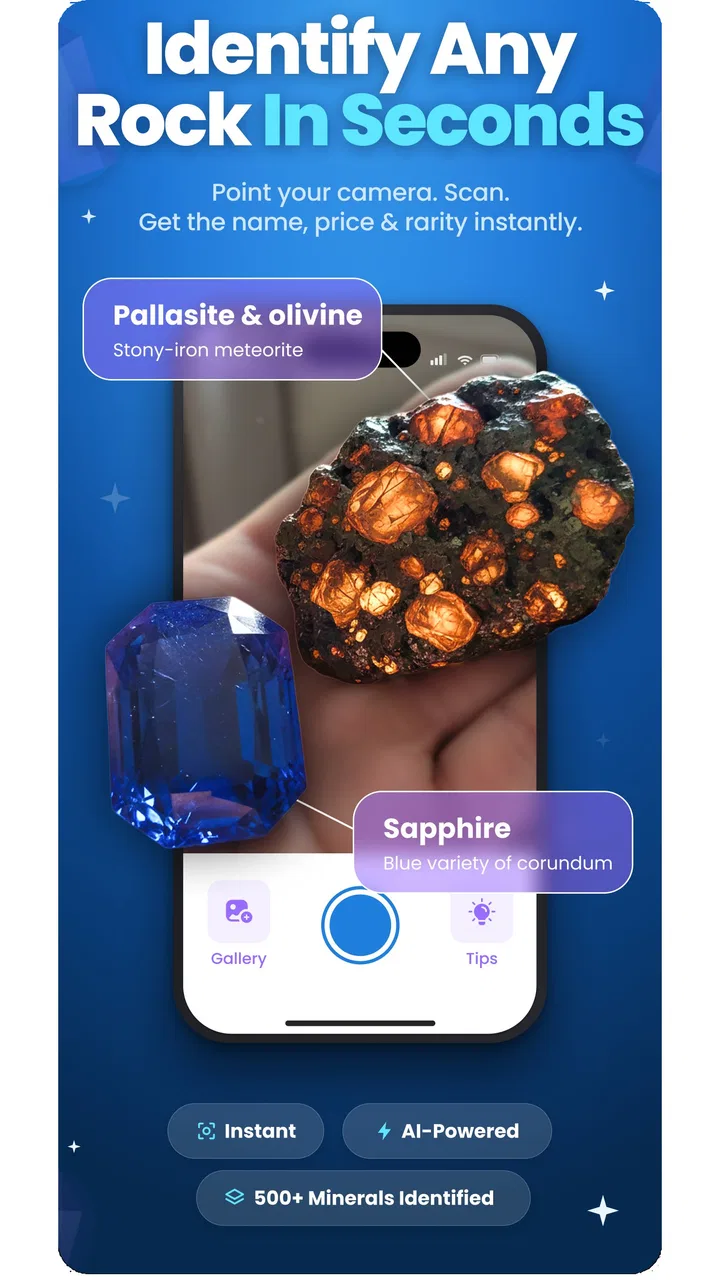
The first thing to understand is that this is not simply a camera utility. Identification is the obvious starting point, yet the broader appeal comes from turning separate discoveries into an organized collection. Instead of taking a picture, searching the web, and then losing the result among unrelated photos, I can use the app as a dedicated home for mineral-related activity. That shift matters if I collect regularly or want to remember where a specimen came from.
You May Also Like

 AccuWeather: Weather Radar
AccuWeather Review: A Quick, Clear Forecast for Everyday Decisions
For everyday plans, the best forecast is the one you can understand quickly. AccuWeather makes rain timing, radar, and local conditions easy to act on, with a few trade-offs.

 Hill Climb Racing
Why Hill Climb Racing Still Turns Crashes Into One More Run
A tiny car, a bumpy hill and one more upgrade: Hill Climb Racing keeps resurfacing because its simple chaos makes every near-miss feel personal.

 AliExpress - Shopping App
AliExpress Makes Global Shopping Feel Personal, but Shoppers Bear the Risk
AliExpress turns a global marketplace into a pocket-sized discovery engine. Its reach is useful, its shopping loop compelling, and its trade-offs easy to miss.

 Lords Mobile: Kingdom Wars
Lords Mobile Is a Kingdom-Building Routine, Not a Quick Match
A case-by-case verdict on the building, battles, device demands, and social commitments that make Lords Mobile rewarding for some players and exhausting for others.

 PDF Scanner app - TapScanner
TapScanner Makes Paperwork Easier to Capture, Check, and Share
TapScanner makes scanning with a phone feel less like a rescue operation and more like a dependable step in getting work done. Its capture tools are useful, though not flawless.

 Block Blast!
 Shows How Much a Puzzle Game Can Leave Out
A quiet grid game shows why puzzle players increasingly value instant clarity, repeatable skill and low-pressure play—and where the genre still needs to catch up.
More From Our News Desk
View All News


In my experience, the strongest use case is the moment when I have a stone in front of me and only a few clues. A photograph can begin the investigation, while the collecting and organizing side gives the discovery somewhere to go afterward. I would still compare an identification with the specimen’s color, crystal shape, luster, hardness, and location, but the app gives a more convenient first step than opening several browser tabs and trying to match images manually.
The connected nature of the experience is important. Identification, exploration, and trading are the kinds of activities that benefit from current information and a broader community or catalog, so I would expect the app to feel more useful when the phone can reach its online services. That also means the experience is not equally dependable in every setting. A strong connection can make the app feel immediate; a poor one can turn a quick discovery into a waiting exercise.
I would not plan a remote field trip around the assumption that every part of the app will work without a network. The safest approach is to use it as a companion while connected, and to keep ordinary camera photos and written notes as a backup when hiking, traveling, or visiting places with unreliable reception. That small habit prevents a temporary connection problem from becoming a lost observation.
Why identification is useful, but not the final word
Photo-based mineral identification is naturally attractive because it lowers the barrier to getting started. I do not need to know the difference between every quartz variety or remember a long list of meteorite characteristics before asking what a specimen might be. That makes the app friendly for beginners who might otherwise feel that collecting is too technical.
There is an important trade-off, though. A photograph cannot reliably reveal every property that separates similar minerals. Lighting can change apparent color, reflections can hide texture, and a rough fragment may look very different from a polished example. I would photograph the specimen in even light, include more than one angle, and avoid relying on a single close-up. If the result affects a purchase, sale, or claim that a stone is a meteorite, I would treat the app’s suggestion as a lead rather than proof.
This is one area where a traditional field guide or a knowledgeable collector may be better. Books are slower to search but encourage comparison, while an experienced person can notice weight, cleavage, matrix, and context that a phone image cannot capture. RockIn is more convenient at the discovery stage; human or reference-based checking remains more suitable for serious verification.
Using it outdoors and in everyday mobile situations
The app makes the most sense in short, practical sessions. I can imagine finding an unusual pebble during a walk, wiping away loose dirt, taking a few photos, and checking the possible identity before moving on. At home, I can revisit the item, organize it with the rest of my collection, and decide whether it is worth further research. That two-stage workflow is better than trying to do everything beside a trail or river.
For outdoor use, preparation makes a noticeable difference. I would clean the phone lens, avoid placing a wet or dusty specimen directly against the device, and photograph a scale reference when size matters. I would also record the location and surrounding material separately, because those details can help me judge an identification later even if the app does not provide the answer I hoped for.
The app is also suited to a household collection. A family could use it to turn a box of souvenirs into a more meaningful project, while a student could use individual finds as prompts for learning about formation, locality, and classification. The organizing aspect is especially valuable here: it encourages me to treat each item as part of a collection instead of a one-time image search.
On a phone, convenience comes with familiar limitations. A small screen is fine for a quick result or a short note, but less comfortable for comparing many specimens or reading deeply while standing outside. I would do the initial capture on the phone and reserve longer study for a calm session at home. That keeps the mobile part efficient instead of forcing the app to serve as a complete research workstation.
What happens when the connection fails
Connectivity problems are most frustrating when they occur at the exact moment of discovery. If an identification request takes longer than expected, I would first preserve the original photos rather than repeatedly submitting the same image. A simple folder containing the specimen name as a temporary label, the date, and the place found gives me a reliable recovery point.
When the connection returns, I can work through those saved discoveries one by one. This is a better habit than trying to remember which stone was which after a full day outdoors. For visually similar specimens, I would keep separate images for the top, side, and underside, and include a close-up of any visible crystals or layers. Those extra views make the later review more useful than a rushed single shot.
The same recovery mindset applies to organizing and trading. I would not make an important decision based on a screen that has not fully loaded or on information I have not had time to check. If I am comparing a specimen or preparing to discuss it with another collector, I would keep my own description and photographs available so that a temporary service interruption does not stop the conversation.
There is also a practical distinction between losing a connection and receiving an uncertain identification. They can feel similar because both interrupt the flow, but they require different responses. A failed request calls for saving the evidence and trying again later. An identification that seems questionable calls for better photographs and independent comparison. Recognizing that difference helps prevent me from treating a confident-looking result as automatically accurate.
Keeping mobile data and attention under control
Because the app is built around image-based discovery and connected exploration, I would use it deliberately on mobile data. I prefer to take several careful photos first, select the clearest ones, and then submit only what helps answer the question. That reduces unnecessary repetition and makes the process less distracting when I am away from home.
For a larger collection, organization is more valuable than constant scanning. I would avoid photographing the same specimen every time I move it and instead create one dependable record, then add notes when something genuinely changes. The app becomes more useful when it reflects a considered collection rather than a pile of nearly identical images.
Privacy-minded users should also think about the context of their photographs. A specimen image can accidentally include a home address, a recognizable room, a travel document, or another person. I would crop the frame and use a plain background whenever possible. This is good photography practice, but it is also a sensible way to keep a mineral-focused record from revealing unrelated personal details.
The free entry point makes experimentation easy, but the app includes in-app purchases ranging from $4.99 to $99.99 per item. That broad range is a reason to explore the free experience first and decide whether the app fits my collecting habits before paying for anything. I would be particularly careful if I only identify stones occasionally, because a dedicated field guide, a library book, or a local collecting group may offer better value for infrequent use.
Where it fits among the usual alternatives
Compared with a general image search, RockIn has a clearer purpose. A web search can expose many photographs and articles, but it leaves me responsible for sorting the results and maintaining my own collection record. This app is more appealing when I want identification and collection activity in one mineral-centered place.
Compared with a conventional field guide, it is faster and more interactive at the first-contact stage. The field guide wins when I want a stable reference, careful diagrams, or a methodical comparison that does not depend on a camera result. I would use both rather than choosing one permanently: the app for discovery and organization, the guide for verification and learning.
Compared with a simple notes app, RockIn offers a more specialized workflow for mineral enthusiasts. A notes app is flexible and may be enough for someone who only records locations and observations, but it does not provide the same focused sense of a mineral collection. The trade-off is that a general notes system can be easier to customize and may remain useful for unrelated fieldwork.
Trading is another area where expectations should stay realistic. The inclusion of trading in the app’s overall concept makes it more interesting to collectors who want interaction beyond private cataloging, but I would still inspect specimens carefully and communicate clearly before treating any digital listing or discussion as a guarantee of quality. Mineral value depends on authenticity, condition, locality, size, and presentation, not just a suggested name.
Who will enjoy it, and who should choose something else
I would recommend it to a beginner who wants a gentle entry into rocks and minerals, to a casual collector who needs a dedicated place for discoveries, and to a family looking for a phone-based learning activity. It also suits people who enjoy the organizational side of hobbies. The combination of identification, collection building, exploration, and trading gives the hobby more continuity than isolated searches.
I would be more cautious about recommending it to a professional geologist, a laboratory user, or a collector making high-value decisions. Those users need measurements, provenance, controlled testing, and specialist judgment. A lifestyle app can support their early investigation, but it should not become the only authority.
It may also be the wrong choice for someone who spends most of their time completely offline or who dislikes camera-based suggestions. In that case, a printed guide, a downloaded reference library, or a notebook-based system may be more dependable. The app’s appeal depends on accepting a connected, image-led workflow and being willing to verify results when the specimen matters.
My verdict on RockIn
PlantIn’s RockIn Rock&Meteorite Identify is a promising lifestyle tool for turning mineral curiosity into a more organized habit. I like that it reaches beyond naming a rock and gives collecting, exploration, and trading a place in the same experience. The app feels most worthwhile when I use it in a repeatable workflow: photograph carefully, identify tentatively, record context, organize the specimen, and verify anything important.
Its main weakness is not that it tries to do too much, but that connected convenience can encourage overconfidence. A fast result is satisfying, yet mineral identification often depends on details a photograph cannot settle. Weak reception can also interrupt the moment, so saving original images and notes remains essential for outdoor use.
With an average rating of 4.4 from around 1.8 thousand ratings and more than 100 thousand installs, it has already attracted a meaningful audience for a specialized hobby app. I would start with the free version, test it on ordinary finds, and only consider an in-app purchase if its workflow genuinely becomes part of my routine. The best reason to use it is not instant certainty, but a better way to turn scattered discoveries into a collection I can understand and revisit.
Released on January 9, 2026, and available for Everyone, it is an accessible choice for curious newcomers. My final recommendation is positive with a clear condition: use it as a connected first step and a collection companion, not as the final authority on valuable, rare, or scientifically important specimens.
FAQs for RockIn Rock&Meteorite Identify
01What is RockIn Rock&Meteorite Identify used for?
RockIn Rock&Meteorite Identify is an app designed to help users identify rocks and meteorites. It utilizes advanced image recognition technology to analyze photos taken by your device. Whether you're a hobbyist or a student, the app provides detailed information on various rock types, helping expand your knowledge of geology.
02How accurate is the identification provided by the app?
The accuracy of RockIn Rock&Meteorite Identify largely depends on the quality of the image uploaded and the lighting conditions. The app uses a vast database and machine learning algorithms to provide accurate identifications, but results may vary. It’s recommended to take clear, well-lit photos for the best accuracy.
03Is RockIn Rock&Meteorite Identify free to use?
The app offers a free version with basic features, allowing users to identify a limited number of rocks per day. For more extensive use and access to premium features, such as offline mode and detailed geological data, users can opt for a subscription model. Pricing details are available within the app.
04Does the app require an internet connection to work?
RockIn Rock&Meteorite Identify primarily requires an internet connection to access its extensive database and perform accurate identifications. However, the premium version offers an offline mode where users can download essential data for use without internet connectivity, making it convenient for field trips.
05What devices are compatible with RockIn Rock&Meteorite Identify?
The app is compatible with both Android and iOS devices. It supports most smartphones and tablets running on recent versions of these operating systems. Users should ensure their device has a functioning camera and sufficient storage to install and run the app smoothly.
Pros
- Accurate identification of rocks and meteorites.
- User-friendly interface with intuitive design.
- Extensive database for research and learning.
- Offline mode available for field use.
- Regular updates with new features and data.
Cons
- Requires a stable internet for full functionality.
- Limited free features; needs in-app purchases.
- Can be slow on older devices.
- Occasional misidentification issues reported.
- High battery consumption during use.

RockIn Rock&Meteorite Identify
Gallery